
Coloring games for kids: 2-5 y
Bebi Family: preschool learning games for kidsEducational
4.33.60K Reviews
- Version
- 1.07.27
- Installs
- 5.00M
- Age Rating
- Everyone
Screenshots
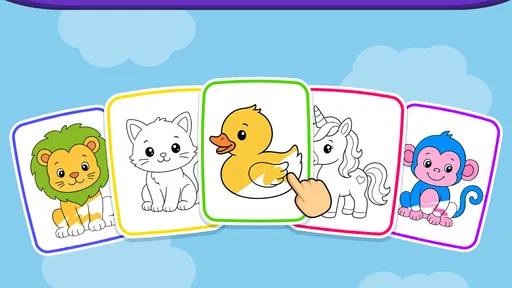
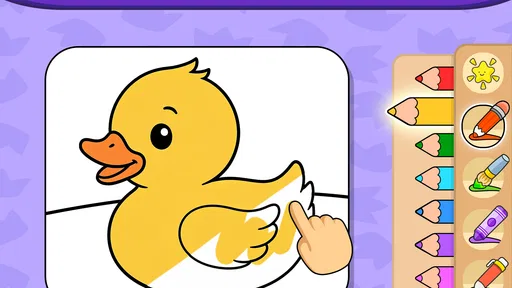


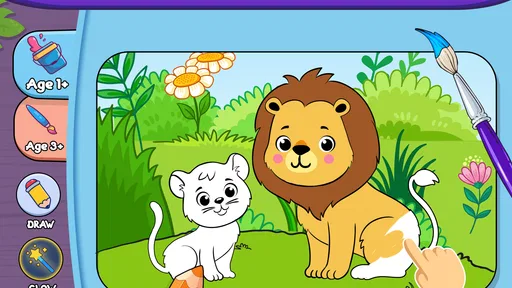
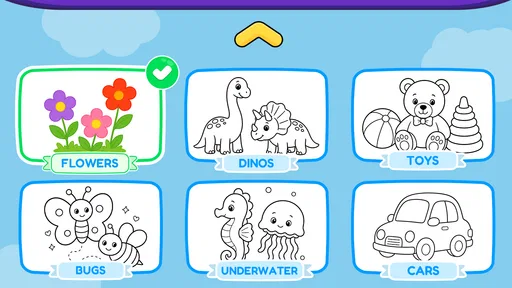
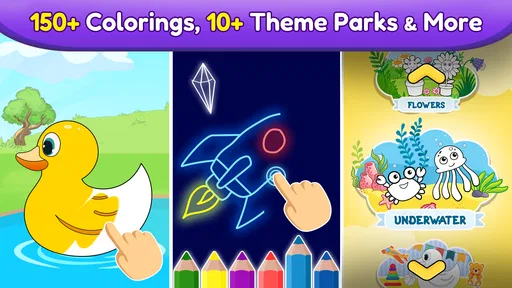
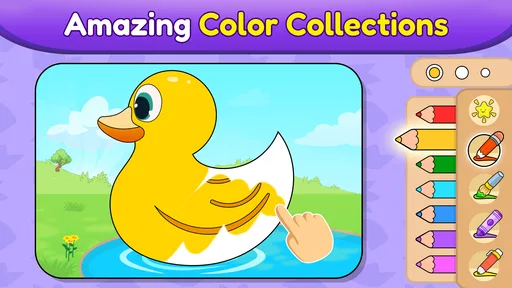
Our Review of Coloring games for kids: 2-5 y
 Analysis by Appyee
When a young child wants to draw but a table full of pens and paper is not practical, a coloring app can be a useful diversion. I’d look at Coloring games for kids: 2-5 y as a simple, screen-based activity for toddlers and preschoolers, rather than a replacement for hands-on play. It is an educational game from Bebi Family: preschool learning games for kids, and its focus on coloring gives little ones a familiar way to explore pictures and colors.
Where young children can get stuck
The main appeal is also the main constraint: this is built around coloring. A child who enjoys filling in pictures may settle into it quickly, while one who expects a broader mix of games could lose interest. I would treat it as a short activity to offer when drawing is welcome but a mess is not, rather than assume it will hold every child’s attention for a long stretch.
Age labels are useful starting points, not guarantees of an easy first session. A two-year-old may need an adult nearby to help understand what to tap, while an older preschooler may be ready to explore more independently. I’d sit with a child at first, watch which controls make sense to them, and step back only when they seem comfortable. That gives you a better idea of whether the app suits their coordination and patience.
Setup checks before handing over the device
Before a child starts, I’d open the game myself and check how it behaves on the device you plan to use. Confirm that it launches properly, that the screen responds as expected, and that the child can reach the coloring activity without needing help with unrelated phone or tablet controls. This simple first check avoids handing over a device only to discover that an adult needs to step in immediately.
The game is free to download, but it offers in-app purchases priced from $1.99 to $49.99 per item. That matters if a child is going to use your device without close supervision: check your device’s purchase settings and keep payment approval under adult control. The store summary describes the experience as having no ads, but that should not be confused with there being no paid items. I would explain, in child-friendly terms, that purchases are for an adult to handle.
It has an Everyone content rating, runs on Android 6.0 or later, and the current version is 1.07.13. Those details are practical checks, not a promise that every device will behave identically. If you are installing it on a shared family device, make sure you are using the right child profile and that the volume is at a comfortable level before passing it over.
A calmer coloring routine, with realistic expectations
A useful everyday scenario is a short wait at an appointment: I’d open the game before the child gets restless, let them choose a picture, and stay close enough to help if a tap does something unexpected. The aim is not to keep a child occupied indefinitely; it is to give them a focused activity for a limited stretch. At home, it can also work as a low-mess alternative when a child wants to draw while an adult is busy nearby.
For a child who tends to tap rapidly, it can help to slow the activity down by asking them to pick one color and talk about what they are coloring. That turns screen time into a small conversation instead of a silent distraction. If they are getting frustrated, I’d pause rather than keep prompting them: a coloring game should feel inviting, not like a task they have to finish.
Compared with paper and crayons, a digital coloring activity is easier to offer in a waiting room and avoids stray marks, but it does not provide the same tactile practice or freedom to draw anywhere on a page. Compared with broader preschool learning apps, a coloring-focused game is more straightforward, yet it may offer less variety for children who want puzzles, stories, or changing challenges. The right choice depends on whether your child is looking for coloring specifically or a wider selection of activities.
Why Parents and Kids Love It
The first thing that caught my eye about Coloring games for kids: 2-5 y is its user-friendly interface. Trust me, even if you're not tech-savvy, this app is a breeze to navigate. Once I downloaded it, I noticed how intuitive it was for kids. My little ones didn't need much guidance to dive right in. The colors are bright and inviting, which immediately captures their attention.
What's truly fantastic is that this app isn’t just about coloring. It’s designed with young children's development in mind. The variety of pictures, ranging from animals to vehicles, helps kids learn about different shapes and objects. Each coloring page is a learning opportunity, subtly incorporating lessons about colors, patterns, and even simple counting.
Features That Stand Out
One of the standout features is the wide selection of coloring tools. Kids can choose from brushes, crayons, and even patterns, which adds a delightful twist to the traditional coloring experience. My kids particularly loved the magic wand tool that fills in areas with a tap. It’s perfect for those tiny hands that are just getting the hang of screen navigation.
Another feature I appreciate is the app's voice-over. It’s like having a virtual teacher guiding them through each activity. The voice is friendly and encouraging, helping them learn without feeling pressured. It also supports multiple languages, which is a great bonus if you're looking to introduce a second language early on.
Safe and Kid-Friendly
As a parent, safety is my top priority, and this app delivers. There are no ads, and it's free from in-app purchases, so you won’t have to worry about unexpected charges popping up. The developers have clearly put thought into creating a safe digital environment for kids to explore.
Additionally, the app encourages offline activities. Once your child has completed a coloring page, you can print it out. This not only gives them a sense of accomplishment but also allows for some fridge-worthy artwork to show off to family and friends.
Perfect for On-the-Go Entertainment
Whether you're in the car, waiting for an appointment, or just need a few minutes of peace at home, this app is a lifesaver. It doesn't require a constant internet connection, so your kids can enjoy it anytime, anywhere. Just hand over the tablet or phone and let them dive into a world of creativity.
There is a practical distinction worth keeping in mind when deciding whether to install it: the game is free, but it does include in-app purchases. I would not hand a child an unlocked device and assume that the no-ads description means there is no possibility of a purchase prompt. Check purchase controls first, and open the app yourself so you know what the child will encounter. That small preparation is more useful than relying on a young child to recognize which buttons are meant for adults.
If the game does not open or a control seems unresponsive, I’d start with ordinary checks rather than assume the coloring activity itself is broken. Close and reopen it, make sure the device has enough battery, and check that the operating system meets the Android requirement if you are using an Android device. If a child accidentally leaves the game, calmly reopen it and help them return to the activity; treating that as a routine device issue can prevent a minor interruption from turning into frustration.
It may also help to distinguish app problems from a child simply being done. A young user who repeatedly taps away, asks for another activity, or becomes upset may need a break, a different kind of play, or an adult to guide the next step. I wouldn’t use continued engagement as the measure of whether the game is educational. A few minutes of naming colors or talking about a picture can be more worthwhile than a longer session with little interaction.
The game has an average rating of 4.3 from around 31,000 ratings, and it has been installed over 5 million times. Those figures suggest that many families have tried it, but they cannot tell you whether your particular child will enjoy its pace or controls. I’d use them as context, then make the decision based on how your child responds during a short, supervised first use.
Who it suits, and when I’d choose something else
I’d recommend trying it for a preschooler who likes choosing colors, filling picture areas, and returning to a familiar kind of activity. It is also a reasonable option for a parent who wants a low-mess diversion and is willing to set it up and supervise at the start. Bebi Family: preschool learning games for kids has made a game whose central idea is easy to understand, which is a real advantage when a child is still learning how to use a touchscreen.
I’d skip it if your child is looking for open-ended drawing with a blank page, if they quickly tire of coloring, or if you want one app to cover many kinds of learning activity. Paper and crayons are better when the goal is grip practice, free drawing, and making marks without screen boundaries. A broader preschool game may be the better fit when the child wants to switch between different kinds of tasks rather than stay with pictures.
My practical verdict is that this is a focused, approachable coloring game, not a complete learning plan or a guaranteed solution for every wait. It is free to download, rated for Everyone, and has a clear use case for short, supervised moments. I would try it with the child beside me, keep purchase settings in mind, and let their interest—not the promise of educational value alone—decide whether it earns a place on the device.
Privacy and Permissions
See what permissions an app requests and how it handles your data.
- Photos/Media/Files
- read the contents of your USB storage, modify or delete the contents of your USB storage
- Storage
- read the contents of your USB storage, modify or delete the contents of your USB storage
- Wi-Fi connection information
- view Wi-Fi connections
- Other
- view network connections, full network access, control vibration, prevent device from sleeping
Verdict
Strengths of Coloring games for kids: 2-5 y
- Easy-to-use interface for young children.
- Wide variety of coloring pages available.
- Encourages creativity and fine motor skills.
- No ads ensure a distraction-free experience.
- Offline mode for travel and offline play.
Limitations of Coloring games for kids: 2-5 y
- Limited free content before requiring purchase.
- Some users report occasional app crashes.
- Lack of diverse character representation.
- Requires frequent updates for new content.
- In-app purchases may be confusing for kids.
Other Releases by Bebi Family: preschool learning games for kids
View All
Baby Puzzle Games for Toddlers
Educational4.7

Baby Games for 1-3 Year Olds
Educational4.5

Bebi: Baby Games for 2-4y kids
Educational4.6

ABC Games: Phonics & Tracing
Educational4.7
Similar Picks in This Category
View All
Little Panda Policeman
BabyBus4.0

Monster Trucks Game for Kids 2
Raz Games4.1

Little Panda's Chinese Recipes
BabyBus4.4

Little Panda's Restaurant
BabyBus4.4

Little Panda's Ice Cream Games
BabyBus4.3

Baby Panda Care
BabyBus3.8
Frequently Asked Questions
What age group is this coloring game suitable for?
This coloring game is designed specifically for children aged 2 to 5 years. It offers age-appropriate content and activities that cater to the developmental needs of toddlers and preschoolers, ensuring a safe and engaging experience for young users.
Does the app contain ads or in-app purchases?
The app may contain ads or in-app purchases. It's crucial to check the app settings or the app store page to understand what kinds of monetization features are included. Parents should monitor usage to avoid accidental purchases and ensure a safe environment for their children.
Is the app available on both Android and iOS devices?
Yes, this coloring game for kids is available on both Android and iOS platforms. You can download it from the Google Play Store for Android devices and the Apple App Store for iOS devices, making it accessible to a wide range of smartphones and tablets.
What kind of educational content does the app offer?
The app provides various educational features such as color recognition, creativity enhancement, and fine motor skills development. Through interactive coloring activities, children can learn about different colors and shapes while engaging in a fun and artistic environment.
Is the app safe for children to use independently?
The app is designed with child safety in mind, featuring a user-friendly interface and parental controls. However, it's always recommended for parents to review the app settings and supervise their children during usage to ensure a secure and appropriate experience.
Play our best games!


